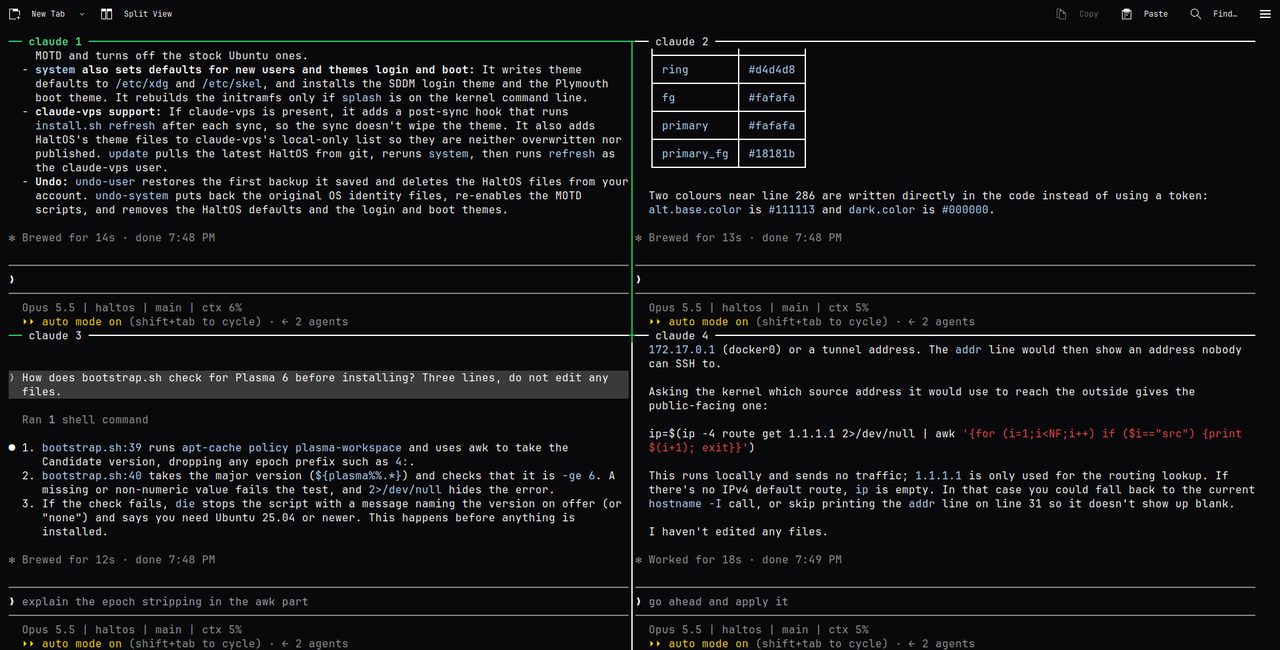
My Claude Code doesn't live on my laptop. It lives on an Ubuntu server, often as a grid of agents working on separate branches, and I reach it over SSH or a remote desktop. An agent that works for an hour shouldn't die because my laptop went to sleep.
The setup is four small open source projects. This post is how they fit together, with the commands I actually run.
The server: claude-code-vps
claude-code-vps turns a blank Ubuntu server into the machine I run Claude Code on. On Ubuntu 24.04 or newer, as root:
curl -fsSL https://raw.githubusercontent.com/halitsever/claude-code-vps/main/install.sh | sudo bash
It clones the repo to /opt/claude-vps and runs claude-vps setup. That asks for a username and a password (used for sudo and the RDP login, and generated for you if you leave it empty), then sets up a sudo user, key-only SSH, ufw, KDE Plasma over xrdp, Docker, gh, Chrome, Claude Code and claudegrid. To skip the questions, pass the answers:
curl -fsSL https://raw.githubusercontent.com/halitsever/claude-code-vps/main/install.sh \
  | sudo bash -s -- --user dev --timezone Europe/Istanbul --ntfy-topic my-secret-topic --yes
--dry-run prints every command without running it, which is worth doing once on a server you care about.
For sizing, 2 vCPU and 4 GB of RAM is the floor for Plasma, and 4 vCPU with 8 GB feels like a real desktop. Give it 25 GB of disk or more. arm64 works but skips Chrome. I run Ubuntu 26.04.
When it finishes you get a summary like this:
  Done.

  SSH        ssh dev@203.0.113.7
  Desktop    RDP to 203.0.113.7:53389 as dev
  Claude     ssh in, run tmux, then claude and follow the login link
  Updates    claude-vps sync   (or: claude-vps autosync on)
Logging in on a box with no browser
ssh dev@<server-ip>
tmux new -s claude
claude
Claude Code prints a login link. Open it in the browser on your own machine, approve, and paste the code back. The credentials stay in ~/.claude on the server. If you'd rather use an API key, export ANTHROPIC_API_KEY in ~/.bashrc instead.
Because it runs inside tmux, Ctrl-b then d detaches and tmux attach -t claude brings it back, from a new SSH session or from Konsole on the remote desktop. Same session, bigger screen.
A ping on my phone when Claude is waiting
The shipped ~/.claude/settings.json registers a Notification hook, ~/.claude/hooks/notify.sh, which posts to ntfy.sh whenever Claude needs an answer. Subscribe to a topic nobody will guess in the ntfy app, then put the same topic on the server:
echo claude-7f3k9q2m > ~/.claude/ntfy-topic && chmod 600 ~/.claude/ntfy-topic
Anyone who knows the topic can read your notifications, so it lives in its own file and never gets synced anywhere.
Same config on every server
I change my Claude and KDE settings on my own machine and push them to the servers:
claude-vps publish        # on your machine: capture KDE + Claude config, commit, push
claude-vps sync           # on the server: pull and apply
claude-vps autosync on    # or let the server pull every 30 minutes
What gets captured is listed in dotfiles/manifest.txt, and credentials are never part of it. Out of the box a server gets my config. To use your own, fork the repo, run claude-vps capture on your machine, push, and point the installer at the fork with CLAUDE_VPS_REPO. New releases go out with sudo claude-vps update.
Several agents at once: claudegrid
One agent at a time is slow when the work splits cleanly. claudegrid opens a grid of Claude Code panes with one command, each with its own prompt, model and, if you want, its own git worktree. claude-code-vps installs it already. Anywhere else:
npm install -g @halitsever/claudegrid
On a desktop it splits Konsole, iTerm2, kitty or WezTerm. Over SSH there is no desktop terminal to split, so I use the tmux backend. The guide to running Claude Code in tmux covers the details. The short version:
ssh my-server
cd ~/projects/my-app
claudegrid -b tmux -w
That opens a 2x2 grid with claude running in every pane. -w puts each agent on its own branch and checkout next to the repo, so they never edit the same files:
~/projects/my-app/                          your checkout
~/projects/my-app.claudegrid/grid-pane-1/   branch claudegrid/grid/pane-1
~/projects/my-app.claudegrid/grid-pane-2/   branch claudegrid/grid/pane-2
Each pane can start on its own task:
claudegrid -b tmux -p "fix the lint errors" -p "write tests for auth"
To leave the grid running in the background and look at it later:
claudegrid -b tmux -d -t refactor
tmux attach -t claudegrid-refactor
Inside, Ctrl-b and an arrow key moves between panes, Ctrl-b z zooms one pane to full size and back, and tmux kill-session -t claudegrid-refactor closes every agent at once.
The worktrees are plain git branches, so reviewing them needs nothing new:
git diff main...claudegrid/grid/pane-2
git merge claudegrid/grid/pane-2
claudegrid worktrees clean
clean removes clean worktrees and merged branches. Without --force it skips anything with uncommitted changes or unmerged commits, so it doesn't throw work away.
For grids I start often, claudegrid init writes a .claudegrid.json with named panes, a model per pane and presets, and claudegrid <preset> starts one.
The desktop: HaltOS
SSH and tmux cover most of it. The remote desktop is for the times a terminal isn't enough, like checking a page in Chrome next to the agent that built it. Any RDP client connects on port 53389.
HaltOS is the look I put on that desktop: a monochrome KDE Plasma with JetBrains Mono everywhere, an ASCII boot splash, a Konsole profile with a two-line prompt that shows the git branch, and an SSH login banner with uptime, load, memory, disk and pending updates. It reports itself as HaltOS 1.2 (SIGKILL) in /etc/os-release but keeps ID=ubuntu, so apt and vendor scripts keep working.
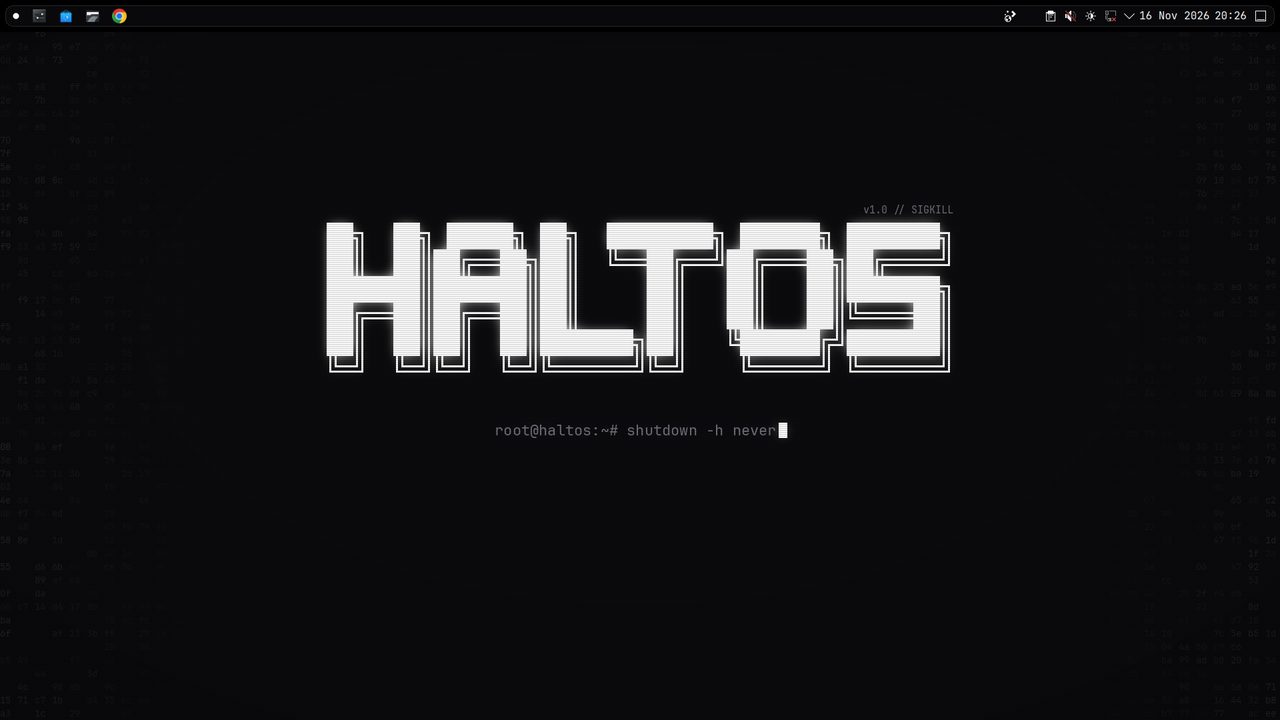
It needs Plasma 6, so Ubuntu 25.04 or newer. One command installs claude-code-vps first and HaltOS on top:
curl -fsSL https://raw.githubusercontent.com/halitsever/haltos/main/bootstrap.sh | sudo bash
HaltOS is only the look. claude-code-vps works without it, and the two stay separate repos. HaltOS lists its theme files in claude-vps's local-only file, so claude-vps sync never overwrites them and claude-vps publish never pushes them into your dotfiles. sudo haltos update updates both, and haltos undo-user with sudo haltos undo-system puts Ubuntu back.
After the work: explain-to-customer
For client work, the last step is telling the client what changed, in words they care about. explain-to-customer is a Claude Code skill for that. You run /explain-to-customer, answer four questions and get a folder with a 30 to 60 second MP4 with burned-in captions, 3 to 5 PNG slides including a one-page summary card, Mermaid diagrams, and a short message in the client's language.
It reads the diff and the code around it, quotes the product's real UI strings, and can screenshot the running app with personal data masked. The project is only read: nothing in it is edited, committed, stashed or installed. Rendering happens locally.
npx skills add halitsever/explain-to-customer -g -a claude-code
If you have never installed a skill, how to install a Claude Code skill walks through the skills CLI and the git clone way. It needs Node.js 22 or newer, FFmpeg and git (sudo apt install ffmpeg on Ubuntu), and the first run downloads about 250 MB of rendering tools into ~/.cache/explain-to-customer.
/explain-to-customer
/explain-to-customer HEAD~3..HEAD video style=apple out=desktop
/explain-to-customer PR#42 all lang=en --yes
Without arguments it works out the scope itself and shows a storyboard for approval before rendering anything.
How it fits together
I SSH in, cd into the project, start a grid with claudegrid -b tmux -w and detach. My phone buzzes through ntfy when an agent is waiting. When the panes are done I review the branches with git diff, merge what's good, and run /explain-to-customer on the result if a client needs to see it.
All four projects are MIT licensed and not affiliated with Anthropic. Issues and pull requests are welcome on GitHub.